NewsPublished:
Gemini on Mac can now click through your apps for you, Blender included
Google's Gemini app for Mac gets computer use: it runs multi-step tasks across local files, desktop apps and the web in a separate window while you watch.
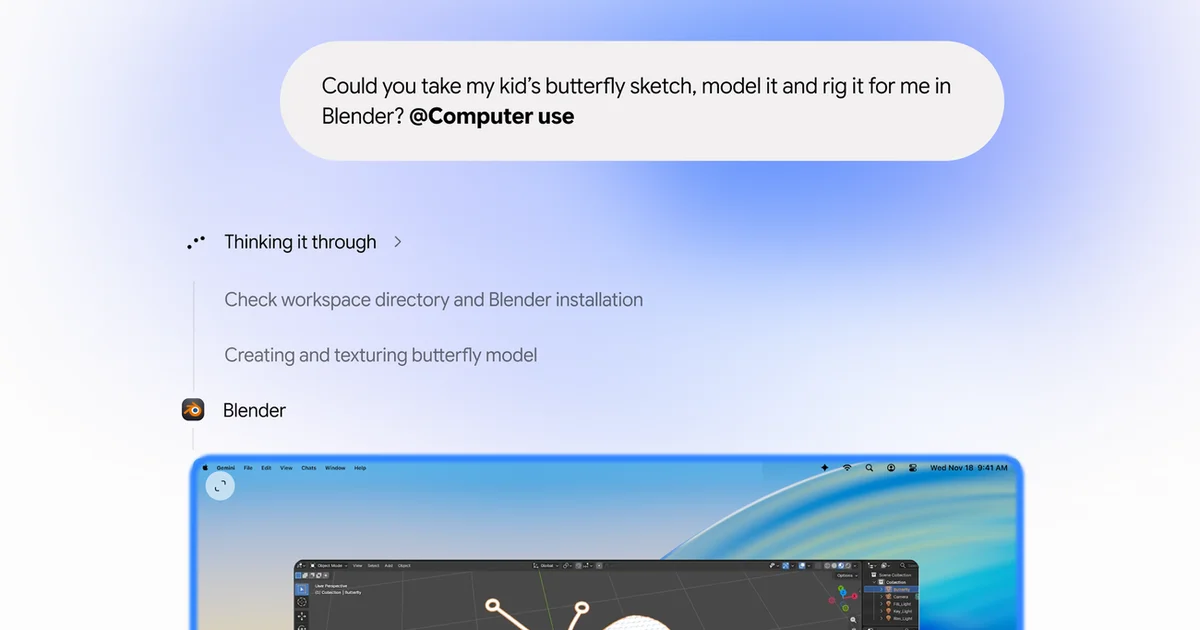
Google has switched on computer use in the Gemini app for Mac. Instead of just answering in a chat box, Gemini can now open apps, move through menus, type and click its way through a multi-step job across your local files, desktop software and the web.
How it works
The part I like most is where it happens. Gemini does the work in an isolated background window, with a live preview inside the chat, so your own screen and cursor stay free. You can keep drawing, editing or sitting on a call while it grinds through the busywork.
Google is also leaning on control here: you pick which apps Gemini may touch, you can watch each step, pause whenever you want, and you approve key actions before they go through.
Why creative folks should look
Google's own examples include batch color-grading photos in design software and setting up complex 3D scenes, and the launch image shows a request to model and rig a kid's butterfly sketch in Blender. Other examples are more everyday: pulling numbers from local PDFs into shipping forms, building a Google Slides deck from live dashboards, or staging resale listings from a folder of clothing photos.
I'm curious how far "set up a 3D scene" really goes in practice, but handing off the tedious setup steps before the fun part sounds tempting.
Availability
- Rolling out now in English in the U.S., in the Gemini app for Mac
- Needs an Apple Silicon Mac on macOS Sequoia 15.0 or later
- Personal Google accounts, 18+, on Google AI Plus, Pro and Ultra
Full details are in Google's announcement.
Source: blog.google